Bliz Studio - 1 minute update - July 31 (2019)
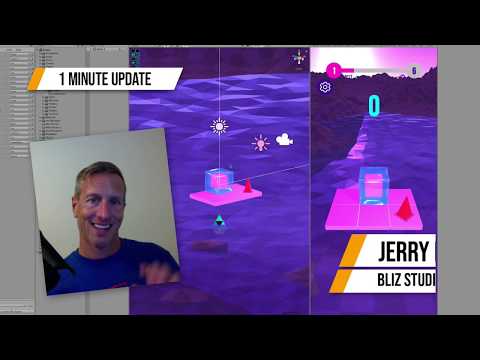
1 Minute Update: Devlog July 31, 2019 As an update to the game, I’ve made some major changes by setting up a scoring system but also starting to work on “polish”. I’ve added an animation to every level that traces the level path on completion of each level. So as “Level Complete” and the “points”
A one-minute development update from July 2019, and the subject is game feel — specifically what happens on screen the moment a player finishes a level. It's a small feature with an outsized effect, and a good case study in recognizing when something you've built works but isn't finished.
What was already in place
Two pieces of level-completion feedback already existed at this point in the build.
First, level animations: every time you complete a level, the level complete text appears on screen.
Second, a score readout: you receive either 10 points or a 100-point bonus, depending on how you finished. The bonus is awarded for completing the level within the minimum number of moves.
That's a functional reward loop. The player knows they won, and they know whether they won well.
Why functional wasn't enough
The judgment call in this update is that it still felt like something else was needed. Nothing was broken and the information was all there, but the moment didn't land.
This is a common gap in solo development. Feedback that is correct and feedback that is satisfying are two different bars, and you usually only notice the second one is missing once the first one is working.
The particle effect solution
The fix was a particle effect: an animation that plays on completion and traces out the level.
What it animates is the important choice. It doesn't just throw confetti at the screen — it retraces the level you just solved, so the celebration doubles as a recap that shows you the path you found.
That gives the effect a second job beyond decoration. A player who stumbled into the solution gets to see its shape, which quietly teaches them something before the next level starts.
Stacking the moment
The completion sequence now layers three things: the level complete text pops up, the 10 points or 100-point bonus appears, and the particle animation traces the level.
Stacking feedback like this is what produces juiciness — that little extra bit of something on screen that makes a win feel like a win. None of the three pieces is expensive to build on its own. Together they turn a state change into an event.
The takeaway for your own project
If your game already tells the player they succeeded and it still feels flat, the missing piece is usually not more information. It's a visual beat with some weight and duration to it.
Look for an animation that can do double duty: something that celebrates and also reflects back what the player actually did. Tracing the completed level is one example, but the principle carries to any game where the player's solution has a shape worth showing them.
Related Tutorials
Bliz Studio - 1 minute update - July 26 (2019)

Bliz Studio - 1 minute update - July 20 (2019)

Bliz Studio - 1 minute update - August 3 (2019)

Bliz Studio - 1 minute update - August 1 (2019)

Bliz Studio - 1 minute update - August 13 (2019)
