Unity FPS Controller: Interact with Game using Playmaker
In this Unity tutorial, I'll show how to use the FREE Unity - Starter Asset - First Person Controller and set up being able to interact with any game object using Playmaker. ► Unity First Person Controller - https://assetstore.unity.com/packages/essentials/starter-assets-first-person-character-contr
This tutorial gives a first-person character a raycast interaction system that can talk to anything in the scene. Press the interact button, fire a short ray from the camera, and if it hits an object, send that object a global interaction event so it can do whatever it wants, demonstrated by opening a treasure chest and turning on its light.
Add an interact input
On the player capsule's Player Input component, open the actions asset and add a new button action named left mouse. Add a binding to the mouse left button, then add a Press interaction set to Press Only so it fires once on the down press. This keeps interaction on its own input rather than overloading move or jump.
Set up a player manager FSM
Create a game manager with a player manager child to hold player-specific scripts in one place. Add a Playmaker FSM named interaction starting in a Listen state. Use a Player Input Button Events action pointing at the player capsule and the mouse left action; on Is Pressed, transition to a Raycast state.
Fire the raycast
In Raycast, add a Raycast action originating from the player camera root (the eyes in first person), firing forward at positive 1 on Z. Shorten the distance from 100 to 4 units so you only interact with nearby objects. On hit, store the hit object in a variable and transition to a Send Event state. Add a Next Frame Event back to Listen so a miss returns to listening for the next press.
Send the event and react
In Send Event, use Send Event targeting a game object, set it to the stored hit object, and send a global interaction event, then Next Frame back to Listen. On the treasure chest, set up an FSM with an empty start state and a global interaction transition that Activates the inner point light and tweens the lid's rotation by negative 30 degrees over 0.4 seconds. Now clicking on the chest within range opens it and lights it up, and the same system drives any object you tag with an interaction response.
Related Tutorials

Set up a Simple Reticle for First Person Controller in Unity

Beginner VERY EASY First Person Controller with Playmaker in Unity 3D
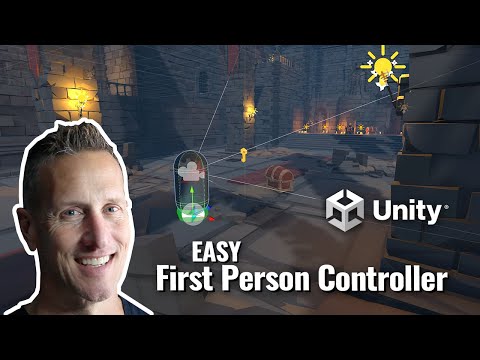
Unity - FREE Starter Asset - First Person Controller

Unity FP - Unlock a Chest with a Key in Unity with Playmaker

Unity 3D + Playmaker - EASY Mech First Person Shooter
