Unity Playmaker - 3rd Person Passive Trigger Interactions
In this Unity 3rd Person tutorial, I'll be showing how to set up a basic passive trigger interaction on the Player to be able to interact with any passive game object. Then on the interactive game object, I'll set the dialogue box text, sprite, camera priority and much more. ► Download Playmaker a
This third-person tutorial builds passive trigger interactions: when the player walks near a rune stone, it automatically pops a dialogue box, switches to a side camera, and freezes player movement, then restores everything when closed. The pattern uses a tagged trigger and a reusable template FSM on the player so any number of objects can share the same passive-interaction behavior.
Set up the interactable trigger
On the rune stone's parent, add a sphere collider enlarged to a comfortable radius and marked as a trigger so the player only needs to get close. Create and apply a passive interact tag, chosen generically so many object types can reuse this system.
Build a reusable player template
On the player, add a second FSM that waits for triggers. In a Waiting For Trigger state, a Trigger Event on the player fires a passive interact event whenever it touches a passive interact tag, storing the collided object. In the next state, Send Event By Name targets that stored object and sends it passive interact, then a short 0.2-second wait loops back so it does not spam. This template now forwards a passive interaction to any qualifying object the player nears.
React on the rune stone
On the rune stone add an FSM with a passive interact global transition. In that state set the global dialog text string and dialog image sprite, then Send Event By Name to the dialog manager with open dialogue so the box appears with this object's content. Disable the stone's sphere collider via Set Property so it can only be used once.
Switch camera and lock the player
Raise the side-view Cinemachine camera's priority to 11 (above the free-look camera's 10) to cut to it. Disable the player move FSM with State Machine Enable FSM and set the player's idle-walk-run animator float to 0 so it rests idle while talking. On the player's close input, reset on exit re-enables movement automatically, and a reset state drops the side camera priority back to 9 so the free-look camera returns. The result is a clean, repeatable proximity interaction with dialogue, a camera change, and movement lock.
Related Tutorials
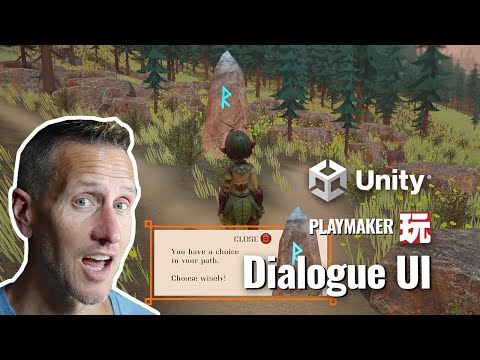
Unity Playmaker - 3rd Person UI Dialogue Box for the Game

Unity Playmaker - 3rd Person - Enemy AI - Field of View

Unity Playmaker 3rd Person Arena Game- Pattern Randomization

3rd Person in Unity and Playmaker - Base Enemy AI Roaming

Unity Playmaker - 3rd Person Controller and New Input System
