Unity 3D + Playmaker - Runner Series - Creating moving ground and the base setup of level generation
In this tutorial, I'll show how to download a character and character animations from Mixamo.com and then setting the character and connecting the main animation to the character in Unity. Also check out How to Make a Bounce Game Series https://bit.ly/39HIYBU. ► Download Playmaker at https://bit.l
This Runner Series tutorial builds the foundation of endless level generation: a single ground segment that scrolls toward the player, resets once it passes off-screen, and loops forever. Three copies chained together create a continuous road you can extend for any runner. It also covers installing ProBuilder and ProGrids and making a quick road texture.
Install tools and build a road block
From the Package Manager install ProBuilder (version 5.0.3) and, after enabling preview packages in Advanced project settings, ProGrids for grid snapping. Create a ProGrids cube, scale it to about 5 deep and 5 wide for the road, and snap it to an even position like negative 2. In Photoshop make a 1024x1024 road texture with a dashed yellow center line, save it to a sprites folder, build a material from it with a specular workflow and low smoothness, and drop it onto the cube.
Track position and scroll the segment
Add an FSM named Move Road. Use Get Position every frame to store the segment's Z value in a z position variable. Add a Translate action moving on negative Z toward the player, using a speed variable set to negative 3 so you can tune it later. The block now slides toward the camera, and the variable updates so you always know where it is.
Reset the segment in a loop
Add a Float Switch (or compare) checking the z position every frame; once it is less than negative 7, meaning the five-unit segment has cleared the view, fire a reset position event. In the Reset Position state, use Set Position to move the segment back to a positive Z of 8, then a Finished transition returns to scrolling. The block now cycles endlessly: scroll, reset, scroll.
Chain multiple segments
Duplicate the segment twice, placing the copies at Z positions of 3 and 8 so they line up behind one another, each carrying the same FSM and reset value. Played together they form a seamless looping road. To hide tiny gaps that appear during the reset frame, extend the front face of the segments slightly so they overlap, giving you a clean continuous runner road built from just three blocks.
Related Tutorials

Unity 3D Playmaker - Runner Series - Basic Setup Tutorial

Unity 3D + Playmaker - Runner Series - End Level Bonus Animation, FSM, and Particle Effects

Unity 3D + Playmaker - Runner Series - Adding 3 Lane Movement to Player - Easy Beginner Movement

Unity 3D + Playmaker - Runner Series - Making a Curved World using URP Shader Graph - Super Easy
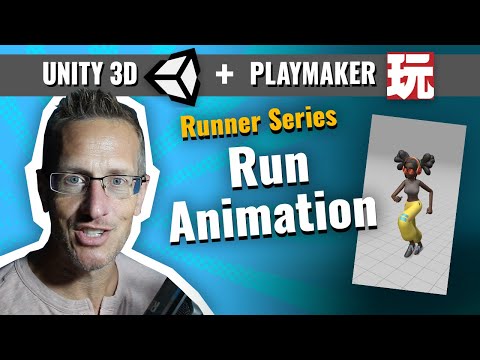
Unity 3D + Playmaker - Runner Series - Adding Character and Animations from Mixamo into Unity
